Features
Everything Link All does, in detail.
Sending files and sharing a clipboard, done well, and the small extras that make your phone and computers feel like one setup.
File transfers
Big files. Bad Wi-Fi. No restarts.
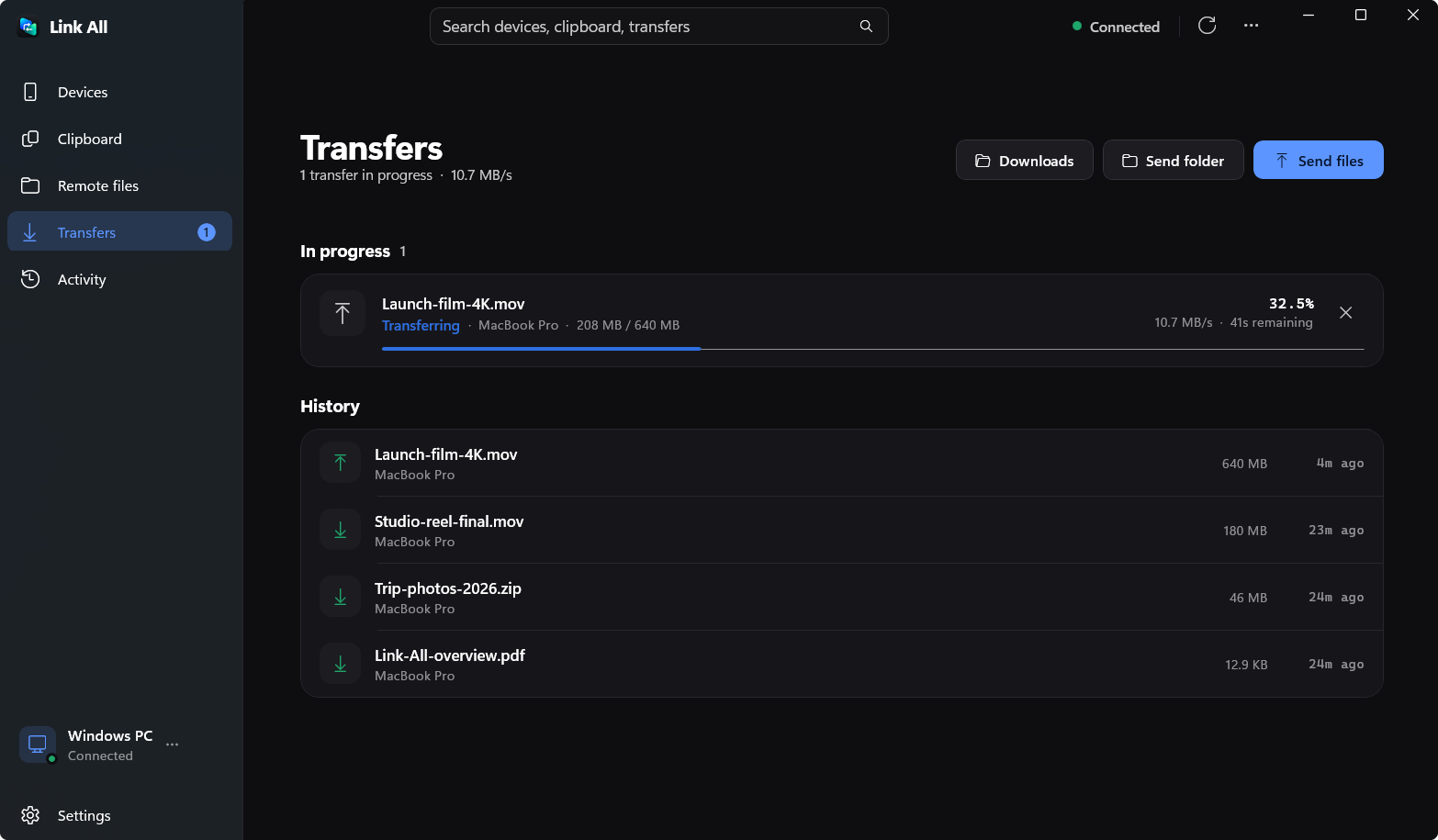
Send a 4K video from your PC to your phone and walk out of range halfway. When you come back, it carries on from the last chunk that arrived, with speed and time left updating as it goes.
Resumes
Carries on after a drop
The other device confirms each piece it gets, so a dropped connection picks up from the last one.
Adapts
Fast when it can be
Link All sends more at once on a fast network and eases off on a slow one, so it does not stall.
Full speed
Uses your network fully
It asks your device for the largest buffer it allows, and steps down if the network cannot take it.
Skips
No pointless work
Videos, zips and photos are already compressed, so Link All sends them as they are.
Clipboard
One clipboard, with a memory.
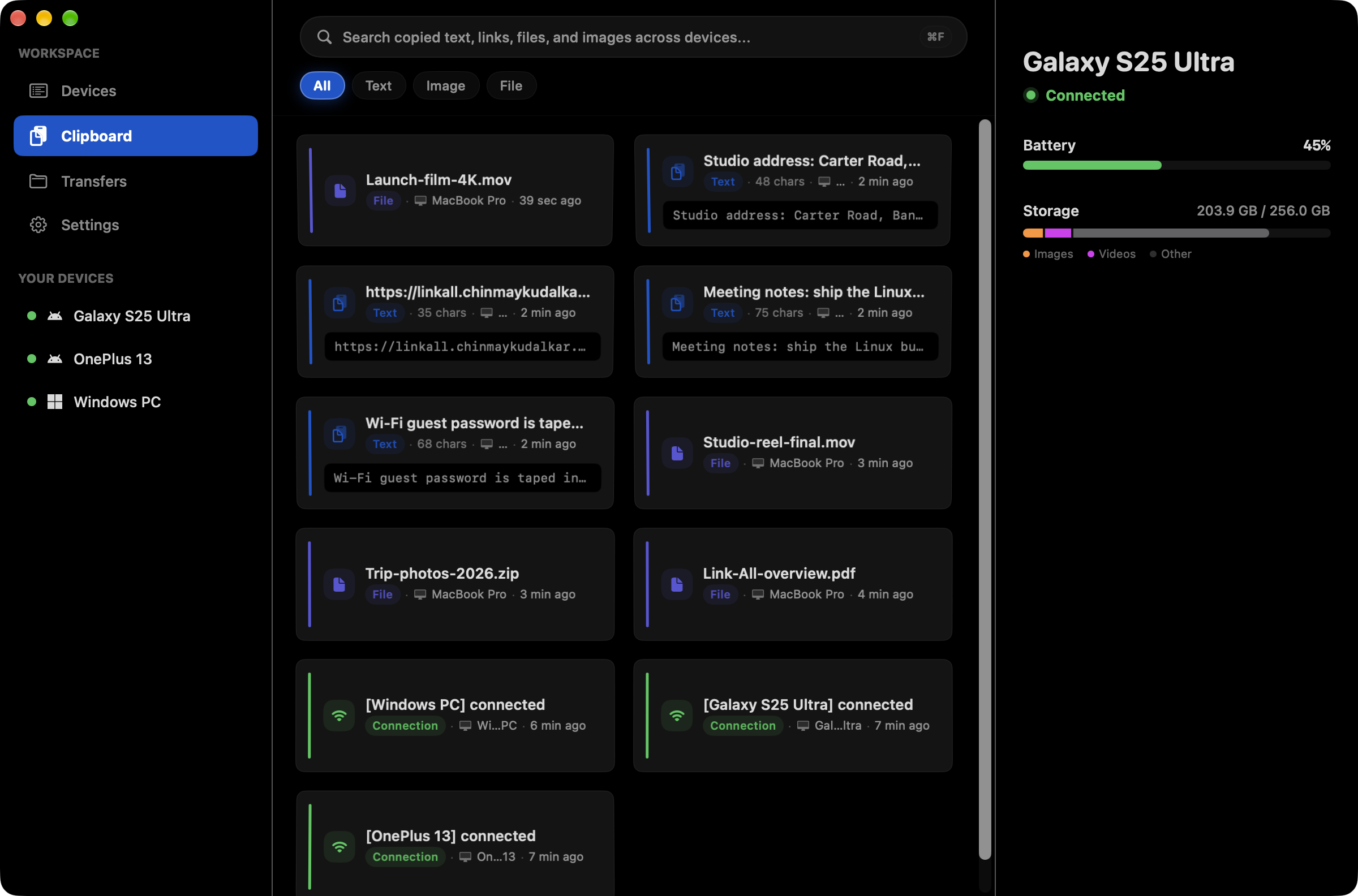
Copy on your Mac, paste on your phone. Everything you copy also lands in a timeline, filterable by text, image or file, that every device can search.
Searchable history
Recent items stay in a local history you can search from any device.
Pin and tag
Keep the things you paste every day one keystroke away.
Text, links and images
Copy a screenshot on one device and paste it on another.
Re-send anything
Push an old clip to one device, or all of them, from the timeline.
Some things should never leave the device they were copied on.
Before anything is shared, it is checked on the device against rules you can edit. If it looks like a secret, it stays put. It is a safety net, not a guarantee, and it is on by default.
- One-time codesYour login code is 482 913
- Card numbers4111 1111 1111 1111
- API keys and tokensghp_4fT9xQ2mLr8vPz…
- Passwordspassword: hunter2
Quick access
Galaxy S25 Ultra · connected
Timeline
- Wi-Fi guest code is taped inside the cupboard. See you at 7!Text · MacBook Pro · 5m ago
- Studio address: 14 Carter Road, Bandra West, MumbaiText · MacBook Pro · 5m ago
- Flight AI 2416, Terminal 2, Gate 12. Boards 07:10Text · MacBook Pro · 6m ago
Browse files
Open files from your other devices.
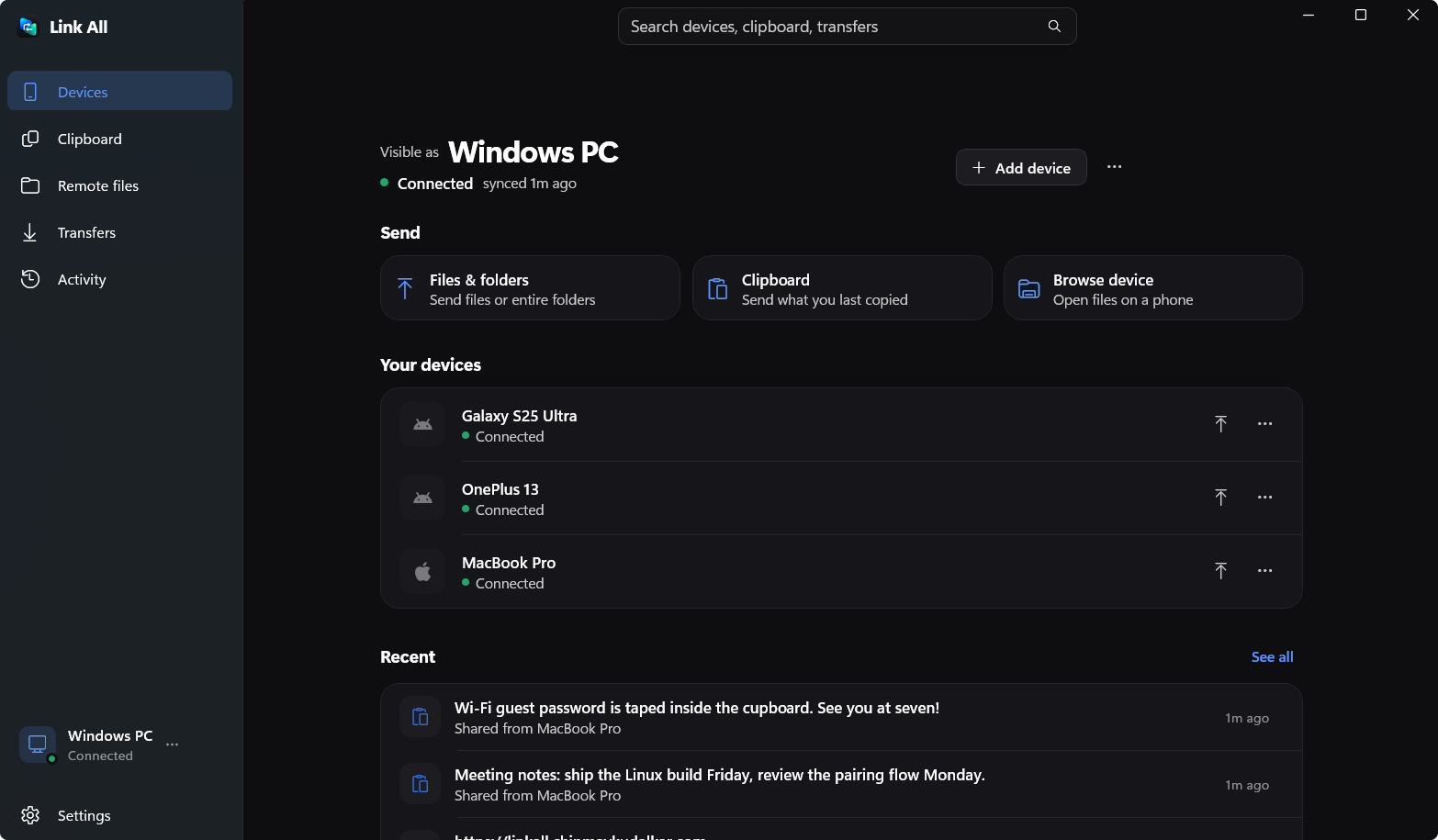
Browse the folders a paired computer shares, see thumbnails, and fetch the one file you need. No syncing whole folders. Browsing a phone from a computer needs the Android build from the download page.
Phone and desktop
Your phone, part of your setup.
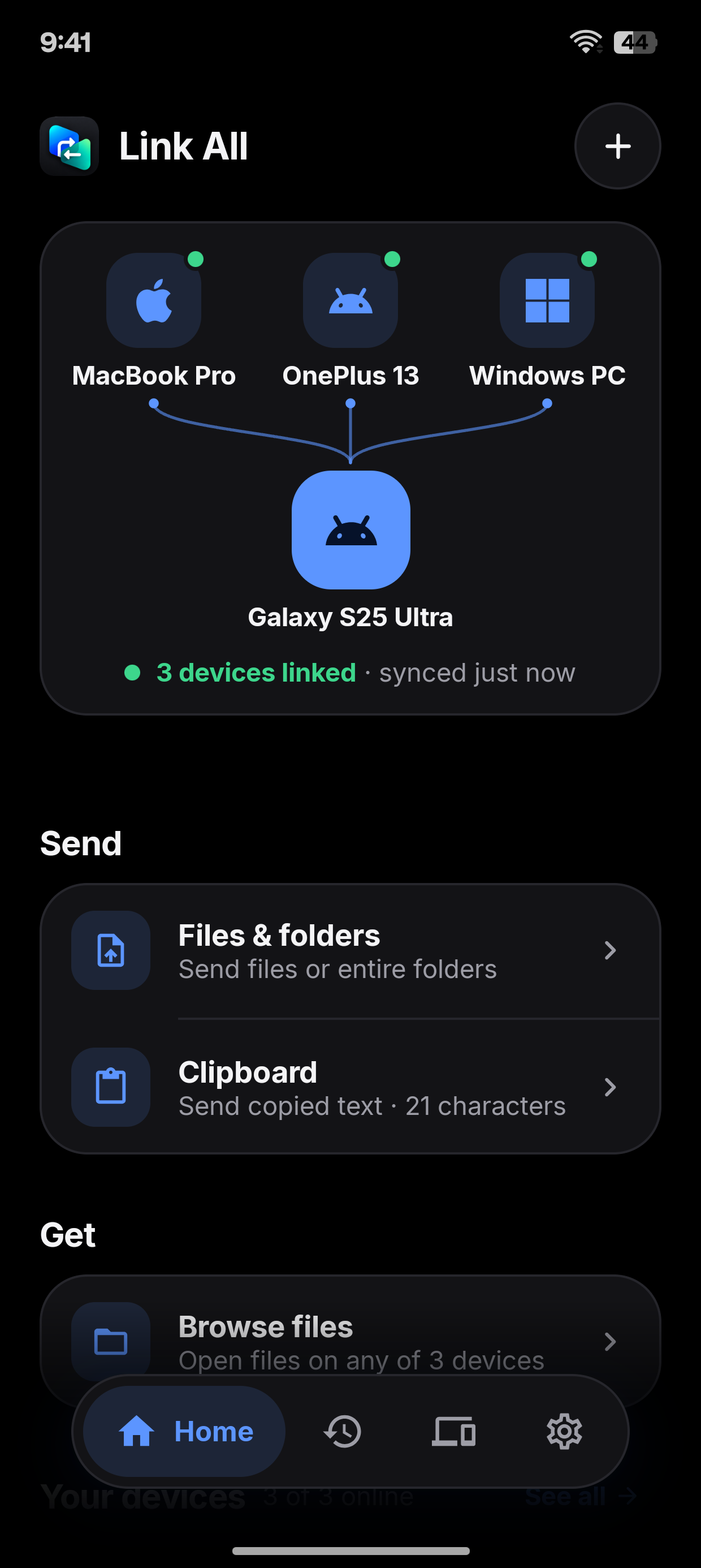
Once your phone and computer trust each other, more than files can cross: the calls, the battery, the codes.
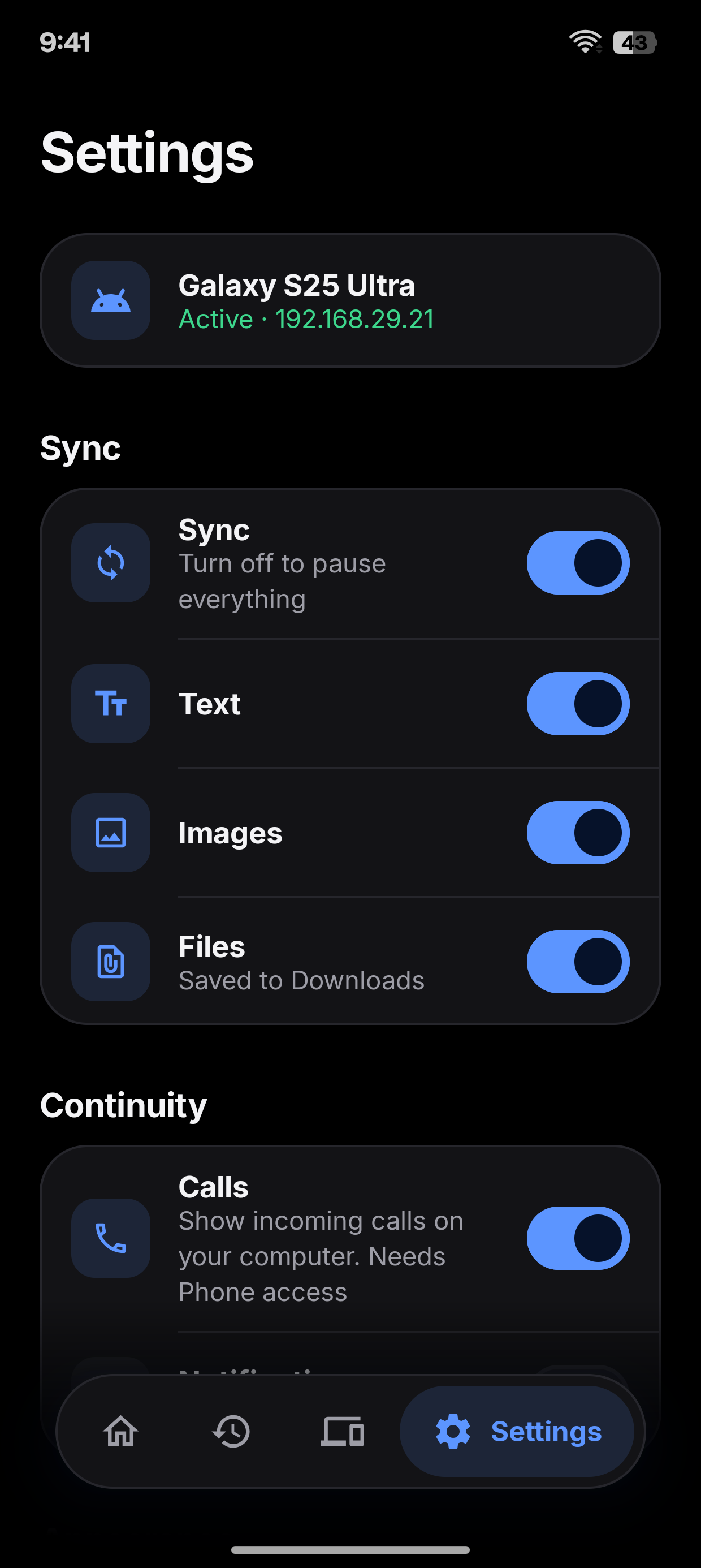
Calls, texts and app alerts
Phone notifications appear on the desktop as they arrive. Windows shows who is calling.
SMS codes, if you want them
Let the phone copy one-time codes to your computer. Off until you turn it on.
Battery in the tray
See your phone's charge level and whether it is plugged in, from the desktop.
No sleeping mid-transfer
Link All keeps macOS, Windows and Android awake until a large transfer finishes.
Share sheet and widget
Send from any Android app, or from the home screen without opening Link All.
Now Playing, both ways
What one device plays shows on the others with its cover and controls, down to the phone's lock screen.
Phone as mouse and keyboard
Move the pointer, scroll, click, type and use shortcuts on a paired computer. Remote control is off until you turn it on.
Lock, screen off, ring, walk-away lock
Lock a computer or make it ring from the phone, and have it lock itself when your phone leaves.
Click to call and verification codes
Send a number to the phone's dialer from the computer; a code from a text pops up on the computer with Copy and Paste.
Insert from Phone
Take a photo or scan a document with the phone and it lands where you were typing on the computer.
Keyboard and mouse across computers
Push the pointer off a screen edge and this keyboard and mouse drive the paired computer next to it. Mac and PC shortcuts are translated, and Ctrl+Alt+Esc brings control back. Needs Remote control on at the other computer; Linux works on X11.
Wake and sleep
Wake a paired computer from another device, or put it to sleep.
Find my phone
Ring a paired phone at full volume, even on silent, for up to a minute. Off until you turn it on in the phone's settings.
Link All Drop and folder sync
Put a file in the Link All Drop folder and it goes to your paired devices. On Android, pick a folder such as Camera and new files go to a computer on their own.
Notes
Notes, links and snippets shared between your own devices only.
Guest Drop
Take a file from someone who isn't paired: a link and a PIN, nothing remembered afterwards.
Keyboard
Keep your hands where they are.
On the Mac, every action has a keystroke. Press ⌘K for the command palette, ⌘⇧V for your recent clips, and jump between pages without the mouse.
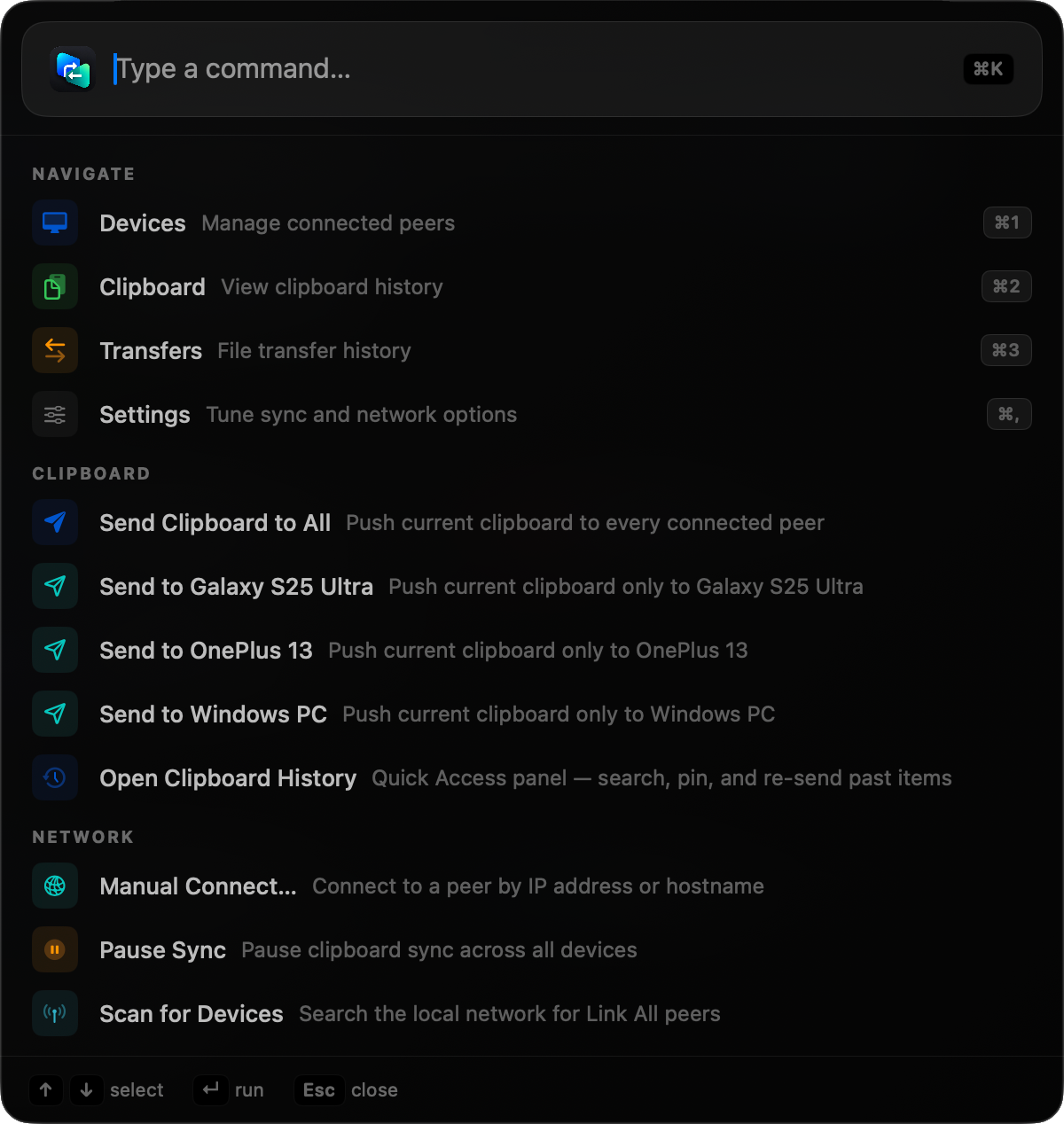
- Command palette⌘K
- Quick Access, your recent clips⌘⇧V
- Home⌘1
- Clipboard⌘2
- Files⌘3
- Settings⌘,
Command line
Or drive it from the terminal.
If you like the terminal, Link All has a command-line tool. Anything the apps do, a script can do too.
$ linkall-cli status$ linkall-cli history --last 15Daemon
- linkall-cli status
- Is the daemon running, and what is it connected to
- linkall-cli ping
- Round-trip time to the daemon over its local socket
- linkall-cli peers
- Devices connected right now
- linkall-cli events --last 20
- The most recent engine events
Send
- linkall-cli push <text>
- Put text on every connected device's clipboard
- linkall-cli send <device> <text>
- Send text to one device
- linkall-cli send-file <device> <path>
- Send a file, resumable like any other
- linkall-cli connect <ip> [port]
- Connect by address when discovery is blocked
Devices
- linkall-cli devices list
- Every device this machine has paired with
- linkall-cli devices trust <id>
- Approve a pairing request
- linkall-cli devices rename <id> <name>
- Give a device a better name
- linkall-cli devices revoke <id>
- Remove trust from a device
- linkall-cli devices peer-settings <id> pause
- Stop syncing with one device without unpairing
Phone and more
- linkall-cli nowplaying
- What the connected devices are playing
- linkall-cli media <device> play_pause
- Control a device's player, or seek <s> to a time
- linkall-cli call <device> <number>
- Offer a number to the phone's dialer
- linkall-cli capture <device> [document]
- Ask the phone for a photo or a scanned document
- linkall-cli find <device>
- Make a paired phone ring
- linkall-cli guest
- Start Guest Drop and show its link and PIN
- linkall-cli scratch
- List, add and remove Notes
- linkall-cli report
- Print a problem report with no private data in it
History
- linkall-cli history --search <q>
- Search clipboard history
- linkall-cli history pin <id>
- Keep an item from being evicted
- linkall-cli history repush <id> [device]
- Send an old clip again
- linkall-cli history export json
- Export everything as JSON or CSV


Try it on the devices you have.
Free, with no account. Install it on two devices and they find each other.