

Link All for Linux
A native Linux desktop app.
A desktop app with a tray icon, notifications and Send with Link All in your file manager, in light and dark. For servers and scripts, a command-line tool is included.
x86_64 or ARM64, GTK 4.12+ · Version 2.1.0 · 6.5 MB
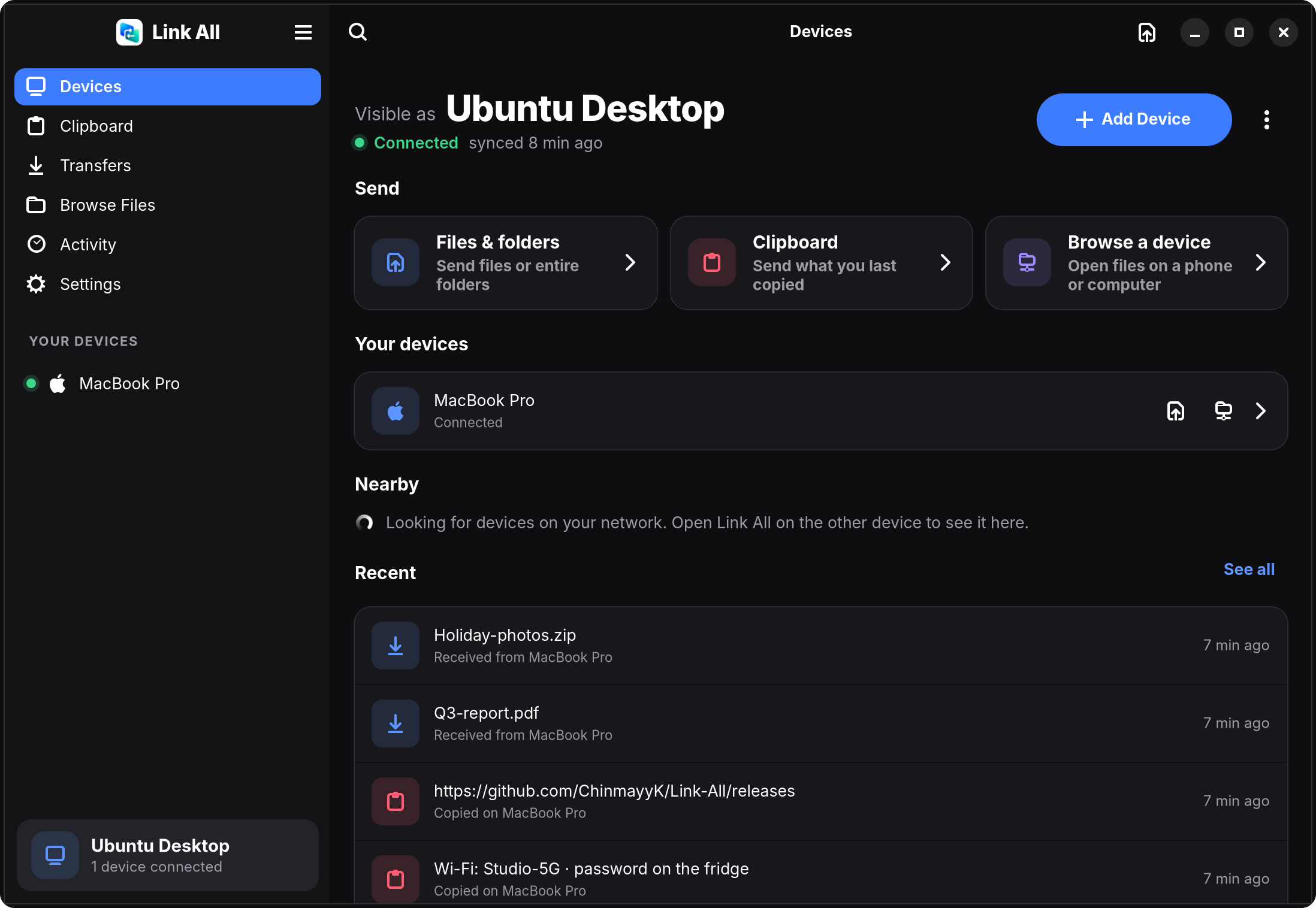
A tour
A look around Link All for Linux.
It is built for Linux, so it behaves like the rest of your Linux box. Every screen is here, in light or dark.
Devices. Every paired phone and computer, with quick ways to send files, push your clipboard or browse a device.
Only on Linux
Made for where it runs.
Everything Link All does everywhere, plus the things that only make sense on Linux.
Tray icon
Send files, push your clipboard and see your devices from the tray, without opening the window.
Desktop notifications
Your phone's notifications and calls, received files and pairing requests, as native notifications.
Send with Link All
Right-click files in Files, Dolphin or Nemo and send them to any paired device.
Ctrl+K
Search devices, clips and actions, and run any of them from the keyboard.
systemd user service
The background service starts at login and keeps you linked with the window closed.
linkall-cli
Status, devices, history and transfers from the terminal, for scripts and headless machines.
Notes
Notes, links and snippets shared between your own devices, saved on each one.
Insert from Phone
Ask your phone for a photo or a scanned document and it is pasted where you were typing.
Click to call
Offer a number to your phone and tap the notification to open the dialer. Nothing is dialled on its own.
Guest Drop
Take a file from someone who is not paired, with a link and a PIN. It ends after five minutes and nothing is remembered.
Link All Drop
Put a file in the Link All Drop folder and it is sent to your paired devices. Off until you turn it on.
Walk-away lock
Lock this computer when your phone has been gone for 30 seconds. Off until you turn it on.
Keyboard and mouse sharing
Push the pointer off a screen edge to drive a paired computer. Needs Remote control on at that computer.
Get started
Up and running in a minute.
Install it here and on one more device on the same Wi-Fi, LAN or hotspot. They find each other, and you confirm a code once.
- 1
Ubuntu, Debian and their relatives: download the .deb for your machine (amd64 or arm64) from the release, then run sudo apt install ./linkall_*.deb.
- 2
Any other distribution: extract the tarball and run ./install.sh. It installs into your home folder and needs no root.
- 3
Open Link All from your apps. It starts the background service and stays in the tray.
LinkAll-linux-x86_64.tar.gz6.5 MB
Download
Bring your Linux box to the desk.
Free, with no account. Install it on two devices and they find each other.