Link All for Windows
Built for Windows 11.
A WinUI app that looks like it shipped with Windows. It starts quietly in the tray, adds Link All to File Explorer's right-click menu and rings when your phone does. Pairs with your Mac as easily as with your phone.
Windows 10 or 11, 64-bit · Version 1.3.3 · 302 MB
A tour
Every screen, in Windows's own words.
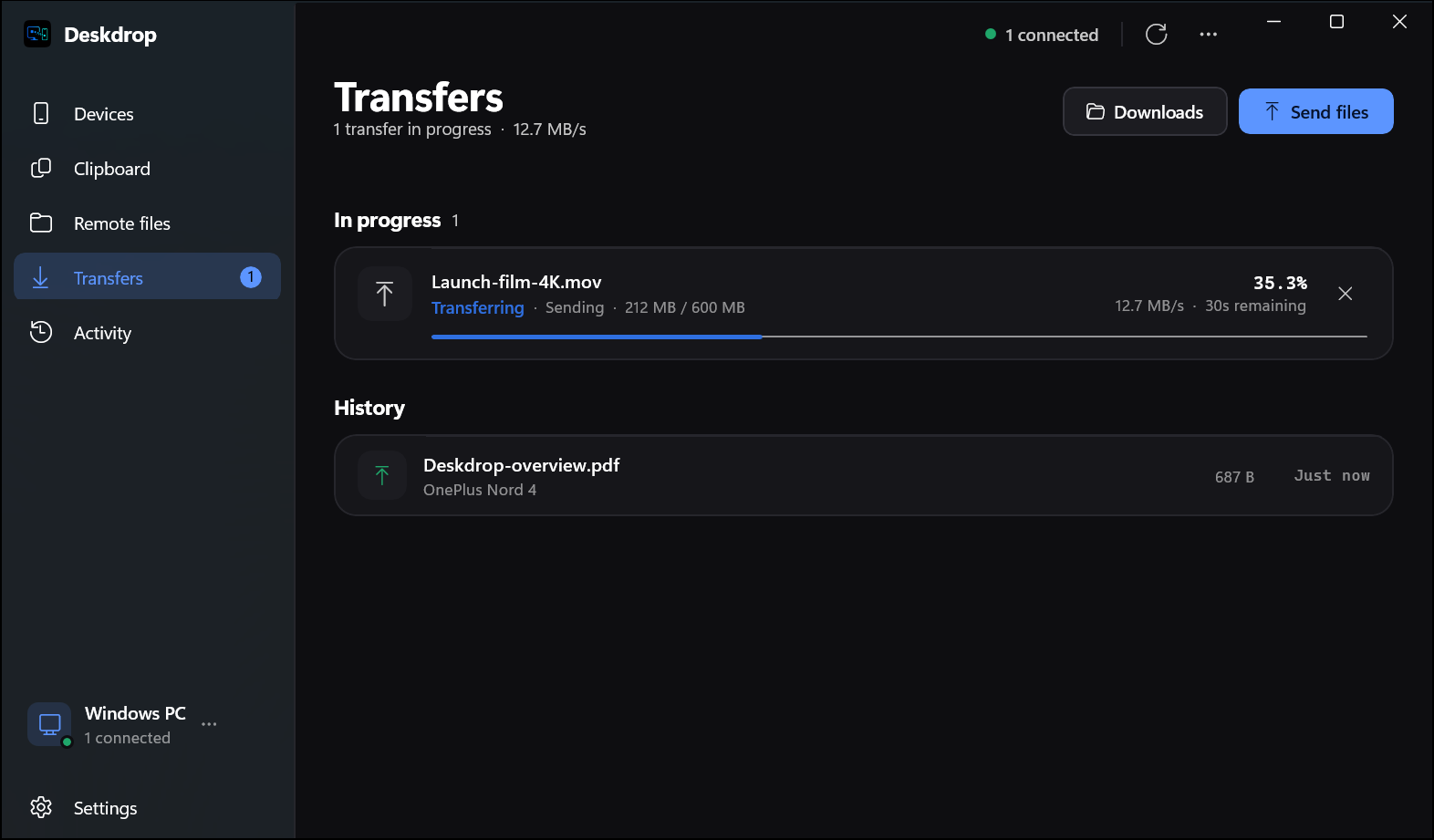
Built with WinUI 3 & .NET 8, so it behaves like the rest of your PC. Here is all of it, in whichever theme the site is in.
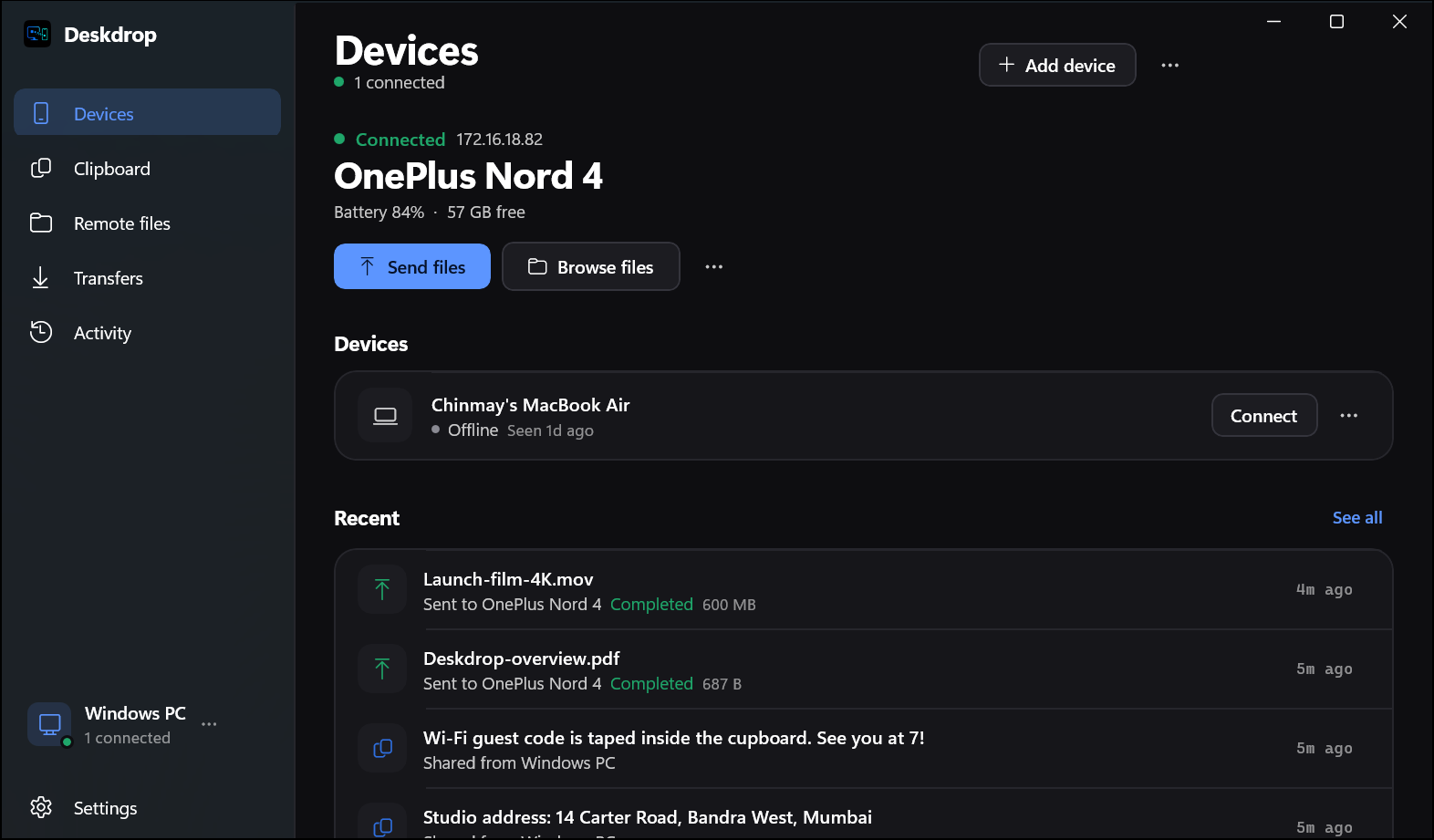
Devices. Your connected phone front and centre, with battery, free space, and one click to send or browse its files.
Only on Windows
Made for where it runs.
Everything Link All does everywhere, plus the things that only make sense on Windows.
System tray
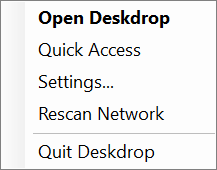
Starts with Windows and waits in the tray. Open, Quick Access, Settings and Rescan are a right-click away.
Right-click to send
Send any file straight from File Explorer's context menu, or drop it on the window.
Incoming calls
When your phone rings, a banner shows who is calling in the top right of your screen.
Remote files
Browse the folders your phone shares, with thumbnails, and pull down only what you need.
Connect by IP
Networks that block discovery are fine. Type an address once and it is remembered.
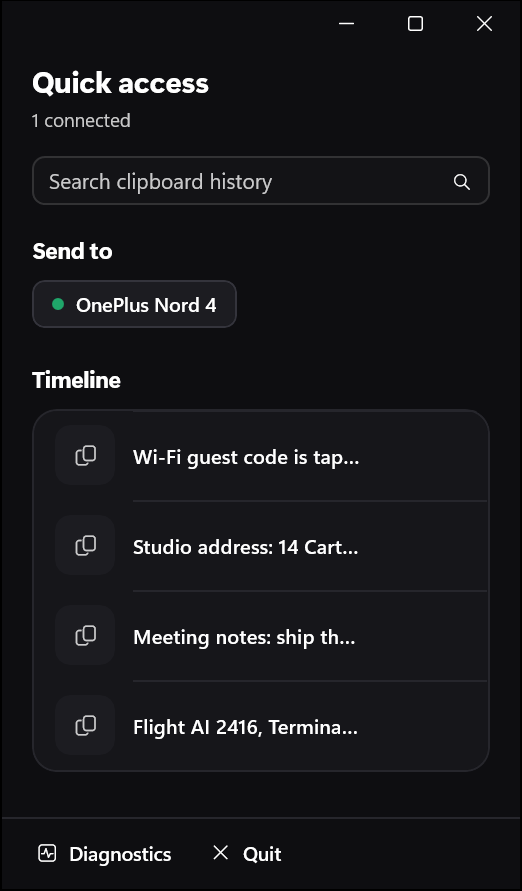
Quick access
A compact panel for searching history and sending to a device in two clicks.
Under the hood
Native on top. Rust underneath.
The app you see is written for this platform. The engine that finds devices, encrypts and resumes is the same Rust core on every one of them.
WinUI 3 & .NET 8
The Windows app
linkall-core
Rust, over Named pipes
Your other devices
Wi-Fi, LAN or hotspot, encrypted
Get started
Up and running in a minute.
Install it here and on one more device on the same Wi-Fi, LAN or hotspot. They find each other; you confirm the PIN once.
- 1
Run LinkAll.exe.
- 2
When Windows asks, allow Link All on private networks so your other devices can find it.
- 3
Link All starts in the system tray.
LinkAll-windows-x64.msi302 MB
Download
Bring your PC to the desk.
Free, open source, and yours to run. Install it on two devices and they find each other.