
Link All for macOS
Lives in your menu bar.
Link All sits in your menu bar, one click away. Send files from Finder, see what you copied on other devices, and take your phone's calls on your Mac. Works with your Windows and Linux computers as well as your phone.
Apple Silicon Macs · Version 2.1.0 · 13.4 MB
A tour
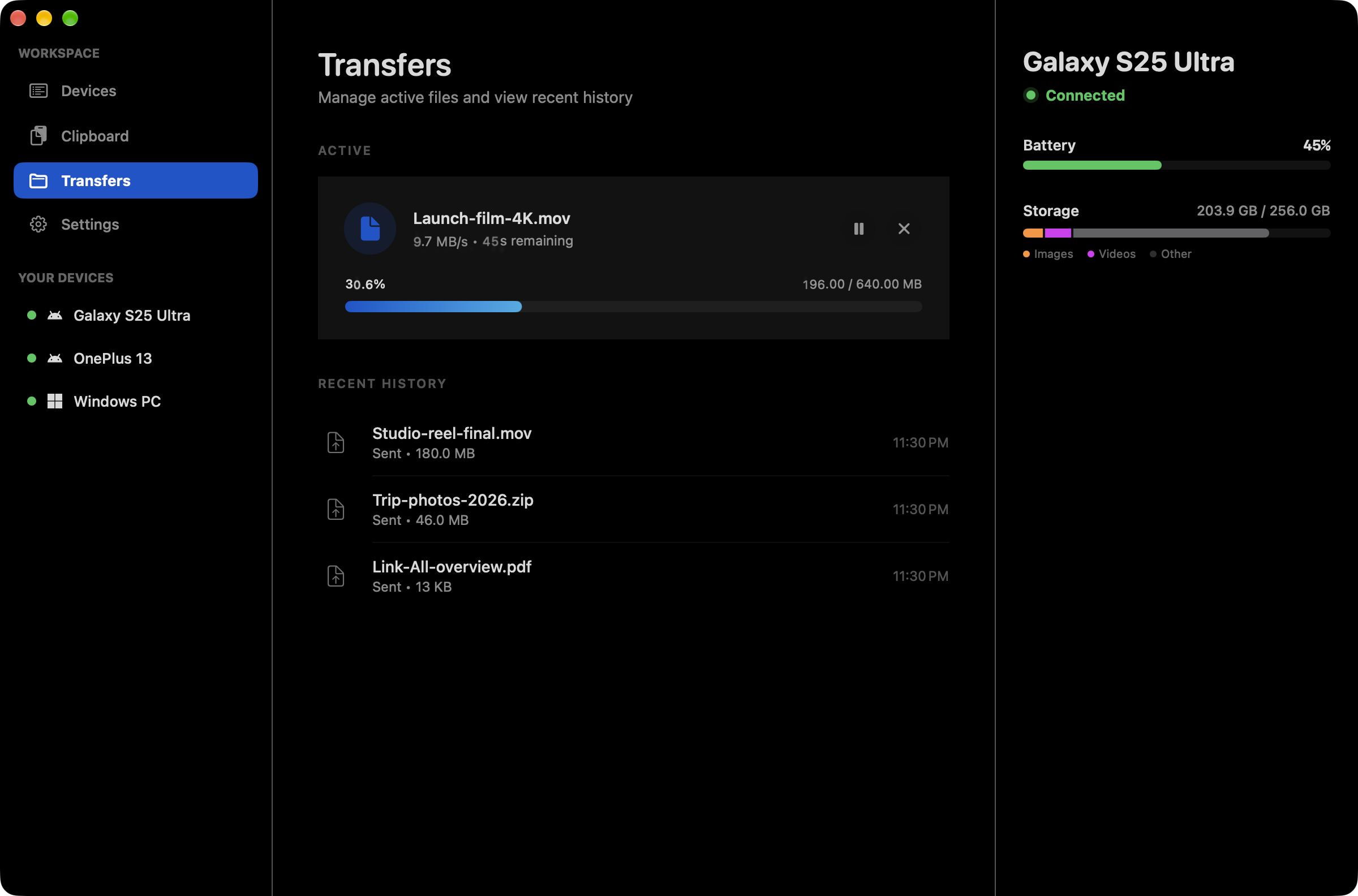
A look around Link All for macOS.
It is built for macOS, so it behaves like the rest of your Mac. Every screen is here, in light or dark.
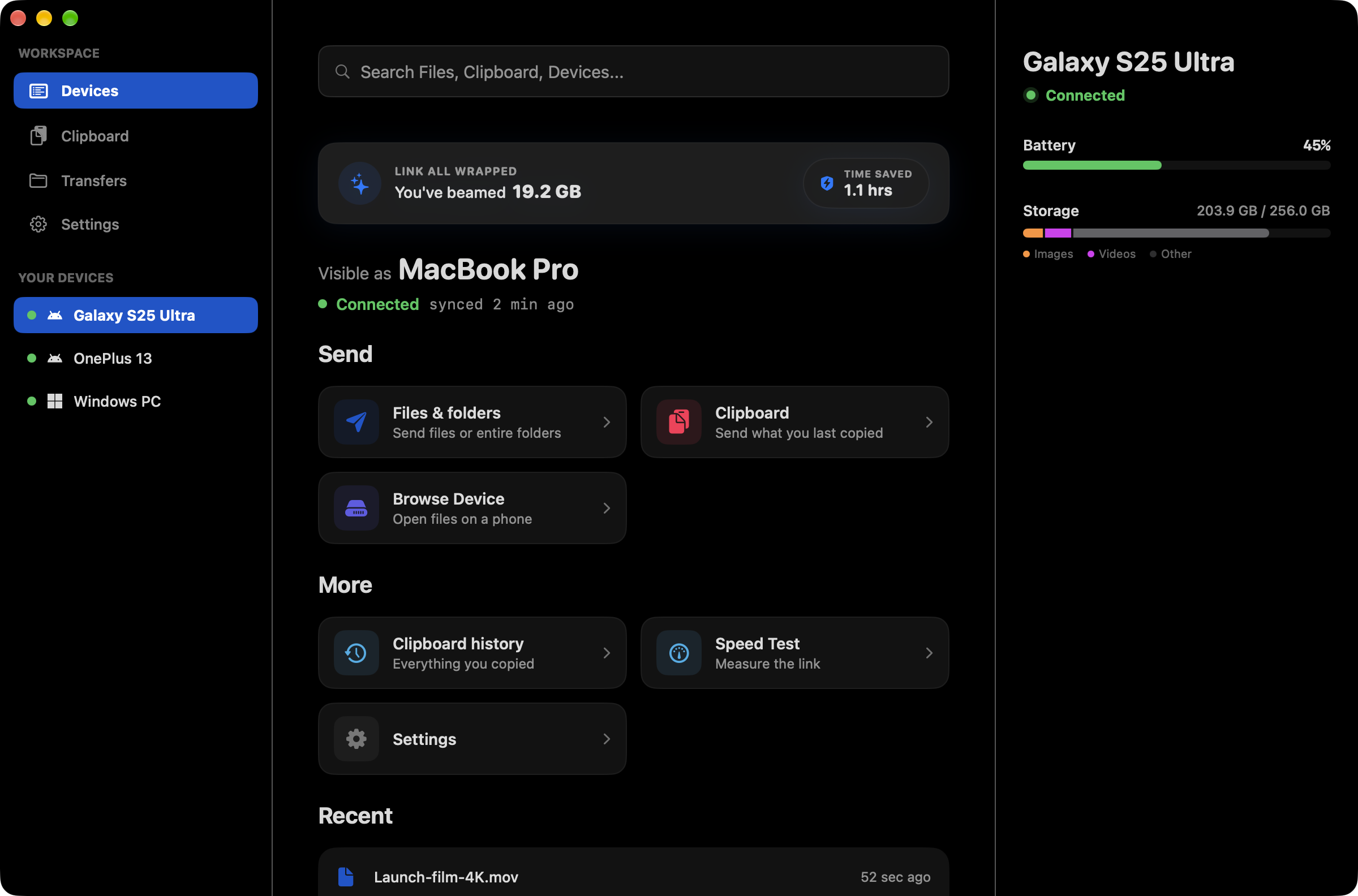
Devices. Every paired phone and computer, with battery, storage and a launchpad for what you do most.
Only on macOS
Made for where it runs.
Everything Link All does everywhere, plus the things that only make sense on macOS.
Menu bar card
Dashboard, Quick Access, Send File and Push Clipboard, one click from anywhere.
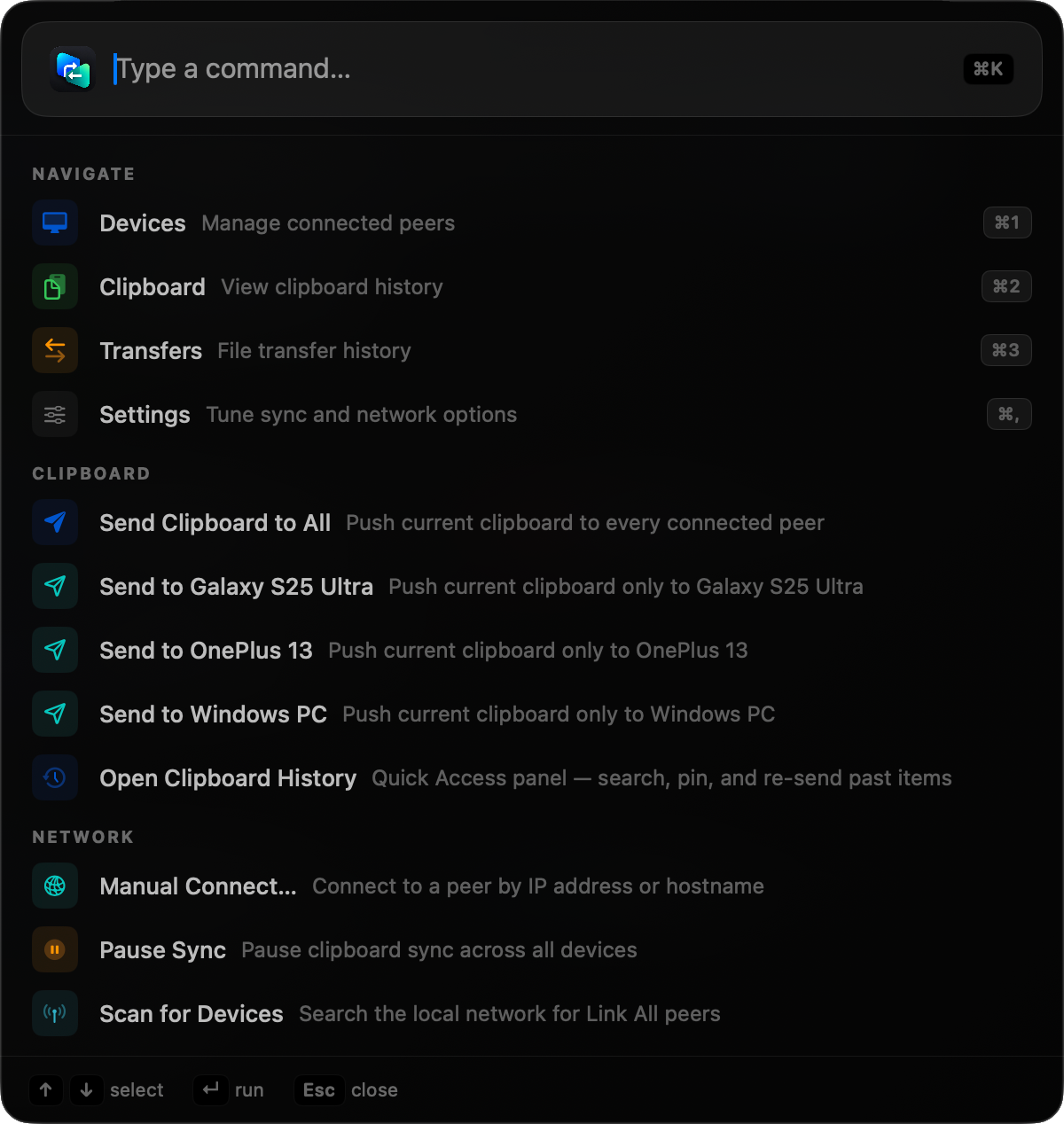
⌘K command palette
Every action is a keystroke away, with shortcuts for each page.
Share extension
Send from Finder, Photos or any app with a Share button.
Browse files
Browse a paired PC or phone by category and folder, with thumbnails, and fetch one file.
Screenshot Sync
Take a screenshot on the Mac and it is already on your phone.
Stays awake for transfers
Holds off sleep while a big file is moving, then lets go.
Notes
Notes, links and snippets shared between your own devices, saved on each one.
Insert from Phone
Ask your phone for a photo or a scanned document and it is pasted where you were typing.
Click to call
Offer a number to your phone and tap the notification to open the dialer. Nothing is dialled on its own.
Guest Drop
Take a file from someone who is not paired, with a link and a PIN. It ends after five minutes and nothing is remembered.
Link All Drop
Put a file in the Link All Drop folder and it is sent to your paired devices. Off until you turn it on.
Walk-away lock
Lock this computer when your phone has been gone for 30 seconds. Off until you turn it on.
Keyboard and mouse sharing
Push the pointer off a screen edge to drive a paired computer. Needs Remote control on at that computer.
Get started
Up and running in a minute.
Install it here and on one more device on the same Wi-Fi, LAN or hotspot. They find each other, and you confirm a code once.
- 1
Open the .dmg and drag Link All into Applications.
- 2
Open Link All. macOS says it can't verify the developer, because Link All isn't notarized by Apple yet. Click Done.
- 3
Open System Settings, then Privacy & Security. Under Security, click Open Anyway next to Link All, and enter your password.
- 4
Link All opens and appears in the menu bar. You only do this once.
LinkAll.dmg13.4 MB
Download
$ brew install --cask ChinmayyK/tap/link-allBring your Mac to the desk.
Free, with no account. Install it on two devices and they find each other.